The purpose of the article is to provide a clear and detailed guide so users can access and use the publication reporting functionality in Comunicaciones. This includes how to obtain detailed information about the reach of their posts, how to interpret this information to improve their performance, and how to download area-specific reports for a more granular analysis of collaborators' engagement and interaction with the posts.
You can access detailed information about the reach of your posts, which will allow you to manage and optimize their performance more effectively.
To do this, go to Desarrollo Organizacional > Comunicaciones > Portal and then to the sectionPublicaciones.
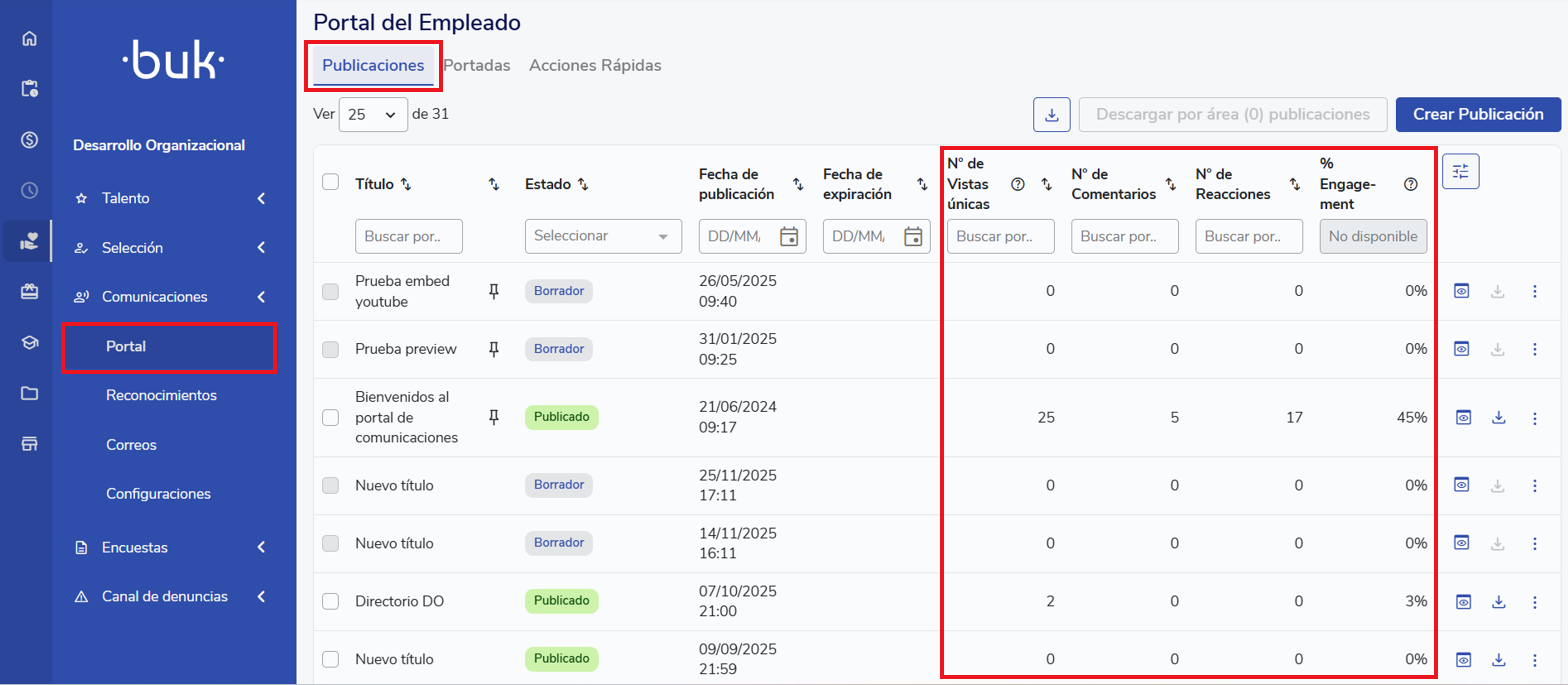
In the publicaciones list, you can review:
-
Number of unique visits:
A view is recorded per collaborator, regardless of how many times the same person views the post.
-
Number of comments:
Displays the total number of comments on each post.
-
Number of reactions:
Displays the total number of reactions.
-
% Engagement:
Calculated as the number of collaborators who viewed the post divided by the total number of collaborators, according to the segmentation configured in the post (filters).
A publication is considered viewed when any of the following actions occur:
- The collaborator clicks "See more".
- The collaborator clicks to open an image of the publication.
- The collaborator stays on the full view for more than 3 seconds.
- The collaborator comments on the publication.
- The collaborator reacts to the publication.
Publication Reporting
You can download reports and monitor how many collaborators have viewed the publications, based on people by area. The report is broken down to the lowest-level area.
You can make an individual download by clicking the "Descargar" button located in "Acciones", or you can make a bulk selection and click the "Descarga reporte por áreas" button.
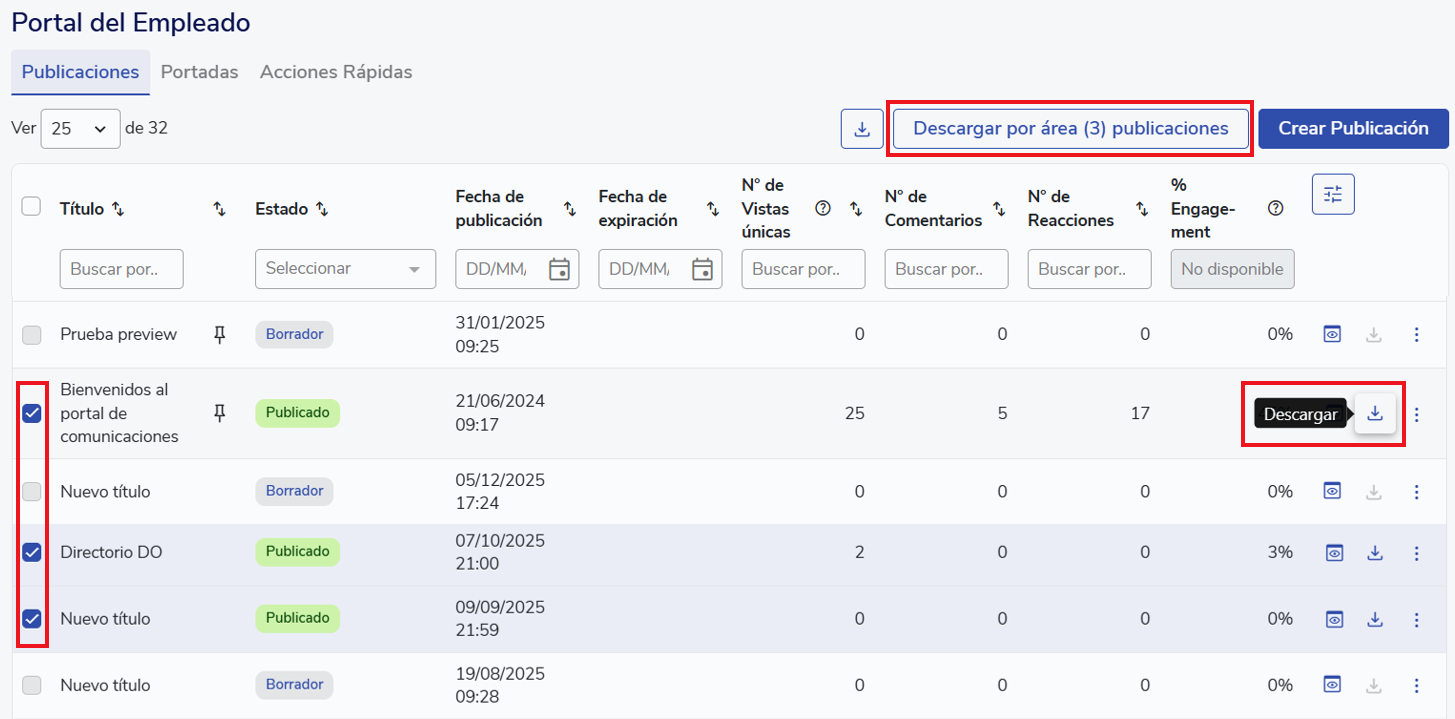
An Excel file will be downloaded with the number of visits, comments, reactions and the engagement of each subarea.

Remember, if you need help you can contact us through our support channels.
Chat | Phone | Email.
We're happy to help!
🤖 This article was translated using artificial intelligence. View original article.